 Kapa VPN
Kapa servers in several countries
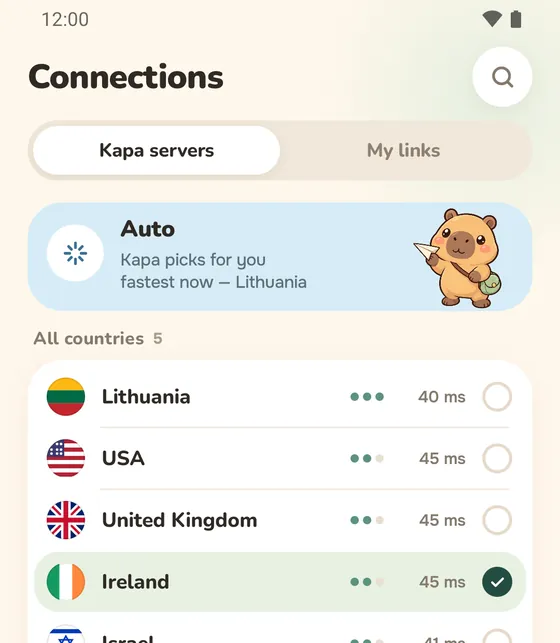
Auto picks the fastest server and switches to a backup if it doesn’t answer. You can also choose a country yourself, with the ping shown next to it.
VPN for Android
One tap, and Kapa wraps your internet in an encrypted tunnel. Kapa servers in several countries and your own VLESS links — together in one app.

How it works
Nothing to configure: Kapa picks a server and checks that the connection really works.

Step 1
Your account is created automatically: no email, password or card. 1 GB is free right away.

Step 2
Auto picks the fastest server and switches to a backup if it doesn’t answer. Android asks for VPN permission once.

Step 3
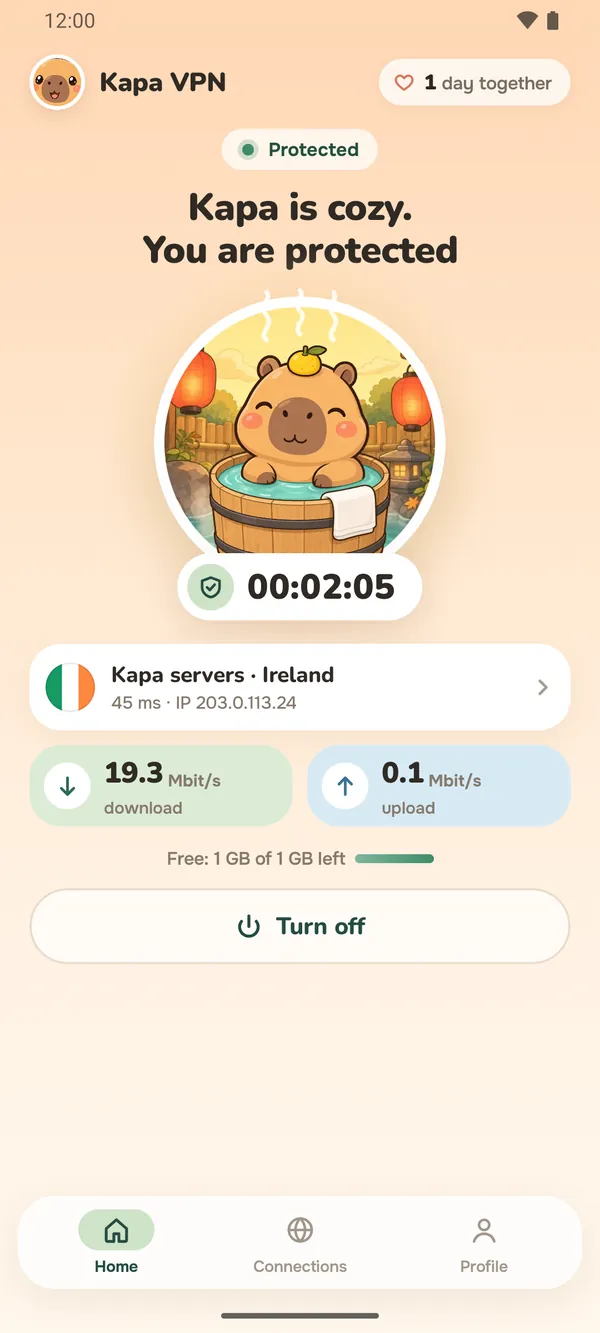
Traffic goes through an encrypted tunnel to the server. Home shows the session time, country and speed.
Features
Connect through Kapa servers or through your own VLESS server. Everything in one app, nothing to fiddle with.
Auto picks the fastest server and switches to a backup if it doesn’t answer. You can also choose a country yourself, with the ping shown next to it.
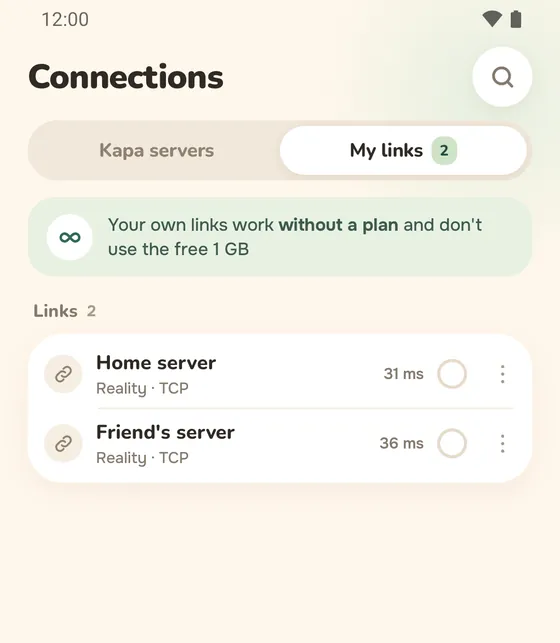
Paste a vless:// link or an https:// subscription from the clipboard, or pick a photo with a QR code. Links are stored encrypted only on your phone, work without a plan or sign-up and don’t use the free 1 GB.
Choose apps that don’t need the VPN, like maps or cloud storage — they go online directly, bypassing Kapa.
Kapa follows your Android system theme, or you can pick light or dark yourself.
One account for up to five Android devices. An old device can be removed in Profile.
Privacy
Kapa shows the same summary in the app before the first connection. The details are in the privacy policy.
Read the privacy policy
Encrypted tunnelTraffic goes through an encrypted tunnel from your phone to the chosen server.
Connection records for 30 daysYour IP, connection times and a hashed destination address — only to investigate abuse reports. Never sold, deleted after 30 days.
Connection IP, time and traffic volumeWe process them to enforce limits and prevent abuse.
A random install IDIt lets Kapa count the free gigabyte and your devices.
Your own links never leave the phoneThey are stored encrypted and are not sent to Kapa.
Pricing
A free gigabyte with no time limit. When you need more, Kapa Pro gives you unlimited traffic on up to five devices.
Free
1 GB
on one device, with no expiry date
Kapa Pro · outside Russia
Choose a period in the app:
1month3months12months
Kapa Pro · in Russia
Open Plans in the app — Kapa shows the payment option available in your country.
FAQ
The same answers live in the app under Profile → Help.
No answer here?Write to support@kapavpn.com — we answer like humans.

No. Your account is created automatically on first launch. You only need an email to save access and move it to a new phone: in Profile, tap “Save”, then sign in on the new phone with the code from the email.
Kapa servers stop connecting until you get Kapa Pro in Plans. Your own links keep working for free — they don’t use that gigabyte.
Open Connections → My links and tap Add. Paste a vless:// link or an https:// subscription from the clipboard, or pick a photo with a QR code. Your own links work without a plan, don’t use the free 1 GB and are stored only on that phone.
With Kapa Pro — up to 5 devices on one account. The free 1 GB works on one device. If all places are taken, remove an old device in Profile → Devices.
Try Auto: Kapa picks a server itself and switches to a backup if it doesn’t answer. Still nothing? Choose another country or connect with your own link. On public Wi‑Fi the connection sometimes doesn’t get through — mobile internet usually helps.
Open Plans — Kapa shows the payment available in your country. Through Google Play, Kapa Pro is a subscription that renews automatically: you can cancel it or ask for a refund in Google Play. In Russia, payment is one-off, by SBP or card on the payment provider’s page in the browser, with no auto-renewal. If something went wrong with a payment, write to us — we’ll sort it out.
Not yet: Kapa VPN is an Android app.

Get Kapa VPN on Google Play — 1 GB free, no sign-up and no card.
Get it onGoogle Play